


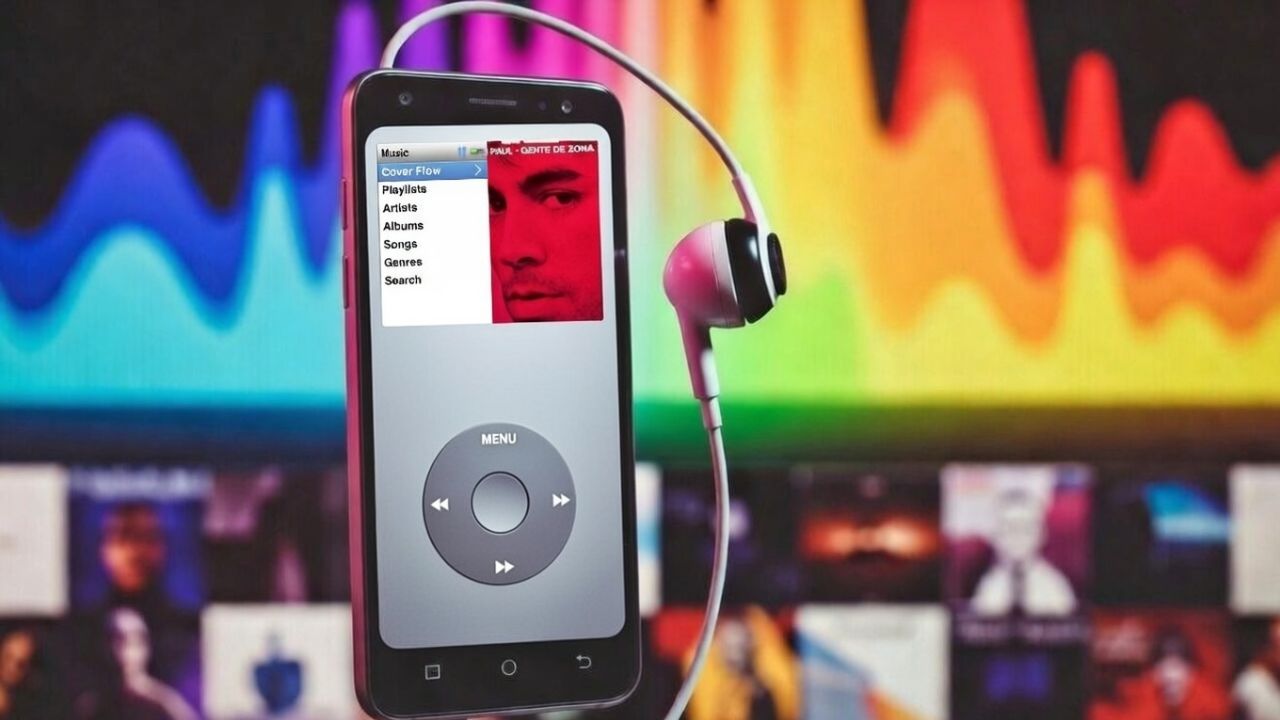
Remember when music was simple? Now it feels noisy. Between ads, AI playlists, and features I never asked for, even playing my own music has become a chore. That’s why I ended up switching to the ClassiPod Android app for day-to-day listening.
Why the iPod Got Music Playback Right
The classic iPod kept things dead simple. It didn’t try to impress you. It had one job: play the music you already owned. Spin the wheel, pick an album, and let it roll. No recommendations popping up. No reshuffling your queue because an algorithm thought it knew better.

Looking back, that focus and simplicity made listening feel personal and intentional. You spent less time tapping around and more time actually listening, which is something modern music apps seem to have forgotten.
Why Streaming Apps Got Smarter in All the Wrong Ways
Most streaming apps today are built around engagement. Apps like Spotify or YouTube Music overload you with AI smarts. Queues that auto-shuffle, recommendations mid-song, even podcasts and audiobooks sneaking in. It’s like the app’s running the show, not you.

Local music suffers the most. Even when offline playback exists, it’s usually buried under discovery tools and upgrade prompts. I’ve wasted too many commutes fighting this hassle.
That’s why many people end up searching for alternatives, such as those listed in the best music player apps for Android, just to regain basic control.
How ClassiPod Brings Back the iPod Magic
The ClassiPod Android app does the opposite of most modern music players. It stays out of the way. The interface is modeled after the classic iPod, complete with album-first navigation and a familiar virtual haptic click-wheel layout.
More importantly, it’s fully offline, ad-free, and doesn’t require an account. You simply open it, pick what you want to hear, and move on.
But it’s not stuck in the past. ClassiPod includes search and basic playlist support, so navigating a large local collection doesn’t become a hassle. You can find artists or albums quickly, build simple playlists, and play them without extra noise.
I’ve used feature-heavy apps like Musicolet, and they’re excellent if you enjoy tweaking settings. But sometimes I don’t want control panels and options. I want a music app that feels like a dedicated device, not a dashboard.
ClassiPod also handled common audio formats without fuss. If you keep high-quality files on your phone, especially lossless tracks like those in the best Android lossless audio players, it fits right in.
The Tradeoffs – And Why It Doesn’t Really Matter
Look, the ClassiPod app skips streaming entirely. No new music discovery, no podcasts, no advanced equalizer or gapless tweaks. In fact, the wheel might feel clunky at first if you’re used to swipes. It’s like dusting off your old iPod.
But that’s fine by me. I didn’t download it for bells and whistles; I simply wanted peace without being nudged, interrupted, or redirected.
I still use Spotify when I want to find something new. But for my core collection, this app’s simplicity wins every time.
Install If This Sounds Like You
If you stash local music files and miss that iPod era’s simplicity amid the AI/algorithm chaos, ClassiPod is perfect for you.
If the songs do not show immediately, tap Settings → Rescan Music Files.
It’s a breath of fresh air. It’s built on nostalgia, but it’s meaningful and practical. In a world where music apps keep getting louder and bloated, sometimes the best move is going back to basics
