


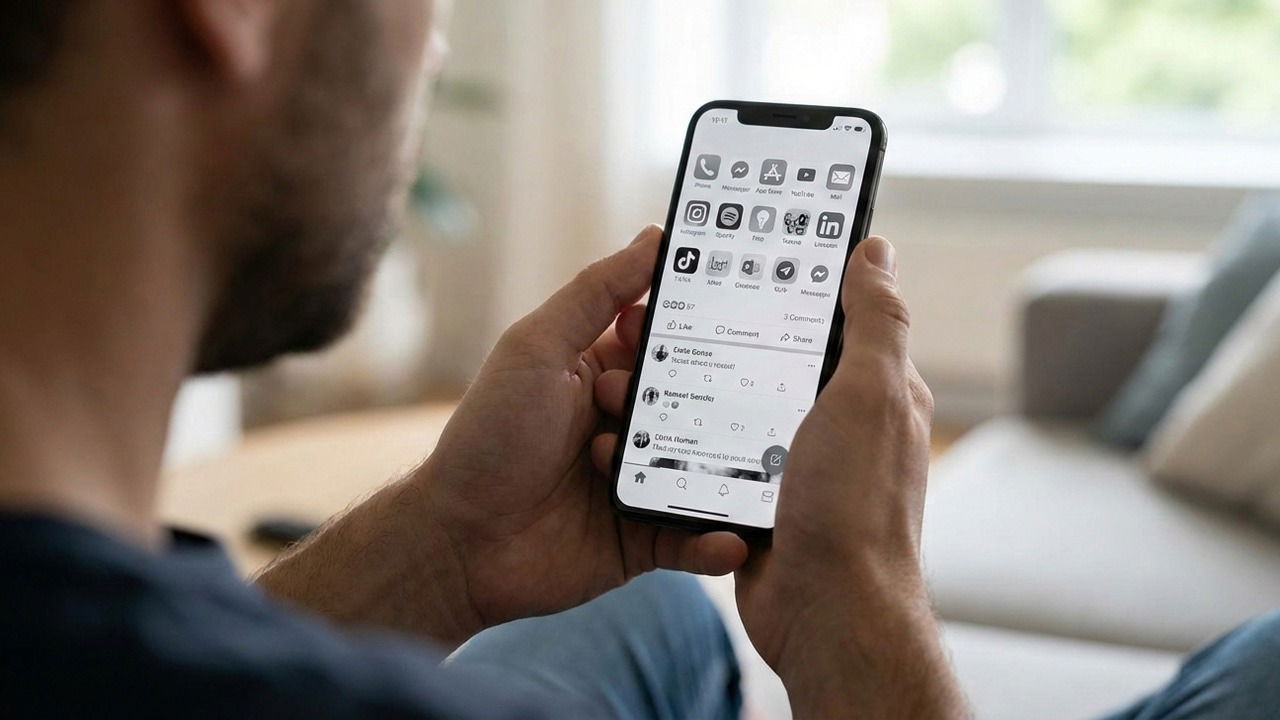
My phone was my primary source of dopamine, especially during the hours before and after work. After realizing how much this habit impacted my professional and family life, I finally tried the popular grayscale trick to curb my phone addiction. Here is how it went:
How Grayscale Can Help Curb Phone Addiction
The grayscale mode on your phone turns off all colors and instead uses different shades of gray to represent color intensities. It basically makes your phone dull like an E-ink device. This disrupts your brain’s reward system as it’s hardwired to respond to bright and saturated colors.
Many addictive apps like Instagram, TikTok, YouTube, etc., utilize highly saturated color palettes specifically designed to trigger frequent dopamine releases. By stripping away these colors, grayscale disrupts the brain’s reward system, making the content feel significantly less stimulating and addictive.
This helps curb phone addiction by making addictive content less appealing. You’ll be less interested in picking up the phone when it doesn’t offer the pleasure you expect. Furthermore, since the real world is full of colors, you’ll also appreciate off-screen time more.
My Grayscale Experiment, and How It Went
I actually used two separate setups during my experiment. First, I tried enabling grayscale systemwide 24/7, but I didn’t find it very effective. So later, I switched to a customized setup that better fit my needs. I am providing both setups here so you can choose the right one as per your needs:
Using Grayscale all the Time
For the first three days, I used the default color-correction option on my Android phone to enable grayscale systemwide. You can also do this by going to Settings → Accessibility Settings → Vision → Color Correction and select Grayscale. iOS users can go to Settings → Accessibility → Display & Text Size → Color Filters and enable Grayscale.

However, I noticed I started getting used to using my phone with grayscale enabled and didn’t mind doomscrolling even when it was less rewarding.
Next, I switched to a per-app-basis routine.
Enable Grayscale For Specific Apps Only
I switched to enabling grayscale only when I opened an app that was addictive in nature; in my case, it was Reddit, Instagram, and YouTube. This allowed my brain not to get used to the grayscale interface and clearly marked apps that were “bad” for me.
I used the Gray-Switch Android app to do this. It applies system-wide grayscale and then lets you filter out apps that you don’t want to use grayscale on. I used it to filter out all my work and regular apps like Google Maps, Camera, Calendar, Gmail, etc. It does require an initial advanced setup using an ADB command, but it’s easy to do with the app’s instructions.
iOS users can use the Shortcuts app to create an automatic trigger to enable the grayscale color filter on an app launch. Make sure you create a trigger for app close as well to fully automate the process.
Here’s a day-by-day overview of my experience:
- Day 1-3: At first, it felt like my phone was broken. That feeling turned to annoyance when I saw everything was grayscale, including the maps and the camera app. While it dulled the “fun” apps, it also made the essential ones frustrating to use. Surprisingly, by day three, I had adapted and continued using the fun apps whenever I was free.
- Day 4-7: This is when I switched to a per-app grayscale setup and started seeing real benefits. The feeling of switching to a fun app, and it turning dull right in front of me, worked as a trigger that “this app is bad”. The biggest impact I noticed was that I was no longer doomscrolling. My brain wasn’t asking for more of the same boring stuff, and I could stop any time I wanted.
- Week 2: A week of phone usage with grayscale turned my impulsive phone habits into conscious decisions. I’m no longer getting lost in feeds, which has freed up my schedule and, more importantly, protected my focus. Starting work without a “dopamine high” has made a world of difference in my productivity.
Will Grayscale Help Curb Phone Addiction for Good?
After two weeks of using grayscale, one thing is certain: I wouldn’t want to live with a colorless screen forever. In fact, it has been six days since I switched back to full color, yet the impact remains. The greatest benefit is the newfound ability to say “no” to mindless scrolling; I am simply more intentional about where my time and attention go.
However, I wouldn’t call this a cure for phone addiction; rather, it’s a hard reset for your brain’s reward system that breaks your dependency on constant digital stimulation. You will still need to practice digital mindfulness, but you’ll find it much easier to stay disciplined once your brain is no longer craving that artificial dopamine hit.
If you try this experiment, I recommend using the Digital Wellbeing app to track your progress. If grayscale isn’t enough, consider switching to a minimalist launcher or removing social media entirely.
Gray-Switch (Grayscale)
Price: Free
