


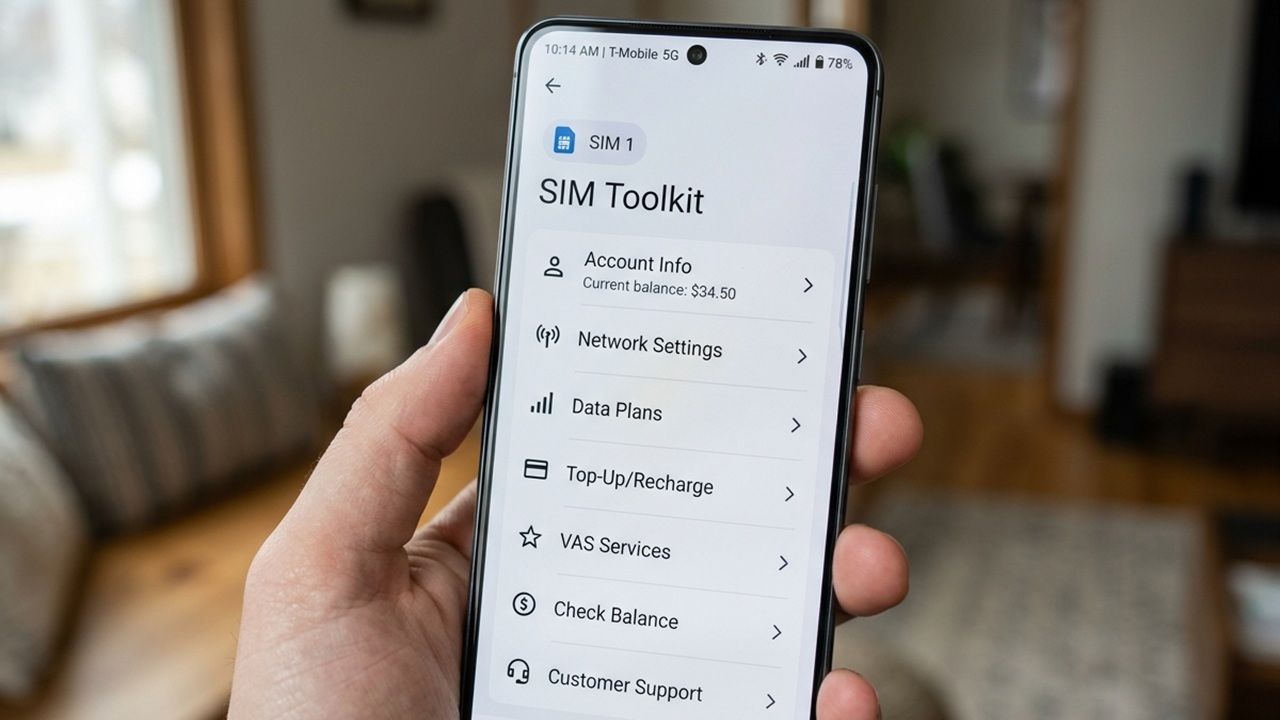
On your phone screen, you can see a minimalist SIM card icon labeled “SIM Toolkit” sitting quietly in the app drawer. You’ll find it mostly empty or showing “No services available,” and may assume it is bloatware or even malware. In reality, the SIM Toolkit App is a vital system bridge between your phone and your carrier’s network. From supporting smooth international roaming to fetching correct SMS center numbers, the SIM Toolkit app can be a real lifesaver in many situations.
The SIM Toolkit app or SIM Application Toolkit (STK) is an operator-centric feature on your phone that uses the SIM card to run small programs called applets. It turns your phone into a simple shell or user interface (UI), while the actual applets and logic live securely on the SIM card itself. A smartphone with two SIM cards will have two different STK apps, each with a SIM appearance.

Most carriers today push users toward their dedicated smartphone apps or USSD codes (*#101# etc.). Its menu items (or lack of them) depend on your region: in North America and Europe, the app is typically empty and simply named SIM Toolkit. In most Asian countries, however, the app is often branded with the operator’s name, offering various Value-Added Services (VAS), and allows prepaid account checking.
The text-based minimalism allows your carrier to deliver services and manage your connection directly through the SIM. The SIM Toolkit also receives over-the-air (OTA) updates, meaning new features or fixes can be pushed to your SIM. Like any other app, the SIM Toolkit can be accessed from phone settings. Its storage and cache value is in kilobytes. You cannot delete the app, and should not try disabling it either as there are many known benefits.
SIM Toolkit Can Help Kickstart International Roaming Service
While SIM Toolkit is mainly useful in the background, it plays a helpful role in ensuring smooth international roaming. In the US or Europe where the menu is usually empty, the most effective way is to turn on airplane mode on your phone for 30-60 seconds. While the STK app is empty, it works in the background to help your phone with provisioning and updating carrier-specific settings.
After a while, turn off Airplane mode. Now go to Mobile Networks → SIM (choose) → SIM info & settings. Instead of auto-selecting the operator, opt for a manual selection.
In mainly Asian countries with a rich and branded STK menu, simply opening the app and selecting any available roaming option can force the SIM to refresh its network registration and latch onto a better local tower. It then re-authenticates with the visited network, often reliably resolving “No service” or weak roaming signals.
SMS Not Working? Give STK a Try
The SIM Toolkit is tightly integrated with SMS Center (SMSC) numbers, the special addresses that route your outgoing text messages through your carrier’s servers. If your outgoing or incoming SMS suddenly stops working (a common issue during international roaming or even in your home network), the SIM Toolkit’s background functions are often the culprit when settings get out of sync.
When the STK menu is active, go inside and toggle Deactivate followed by Activate on the relevant service. This forces the SIM Toolkit to refresh the correct SMSC number and MMS configuration from the network, often fixing messaging problems instantly without needing to call support or restart your phone.
Of course, if your STK menu is empty, another quick solution is to turn on Airplane Mode for 30–60 seconds, then turn it off. This forces the SIM Toolkit to refresh the correct SMSC number and MMS configuration from the network. There are many other reasons your phone may not receive SMS, so make sure to check these.
Apart from the above hacks, there are some background reasons to retain the SIM Toolkit apps. If you’re using mobile banking apps on your phone, they are often closely tied to the SIM Toolkit app. The SIM Toolkit helps provide secure identity verification and authentication between your SIM card and the banking service. Disabling or deleting it can break this connection, causing issues with OTPs, transaction confirmations, or even logging into your mobile banking app.
If you’re in an Asian country like Thailand, Singapore, Vietnam, Indonesia, or Philippines, the SIM Toolkit app is a reliable, non-online way to get some emergency balance refill. This amount is later deducted automatically from your next top-up.
Imagine being stuck in a remote area of Phuket or the islands with no connectivity, but still having basic cellular signal. With just a few taps in the SIM Toolkit menu, you can activate the Jaidee emergency refill. This is the closest example we have to a ‘lifesaver” situation. If you’ve learned about this unique app, find out what RCS messaging does on your phone.
